9 min read
Your Resellers Finally Get Their Own Workspace
Shoppex Reseller Portal gives partners one place to manage programs, embeds, sales, stock, payout requests, and external-shop fulfillment.
 Shoppex Team
Most reseller programs start clean and end in a mess of copied links, payout messages, stock spreadsheets, and "which campaign was this sale from?" screenshots.
That works when you have one partner. It breaks when resellers become a real channel.
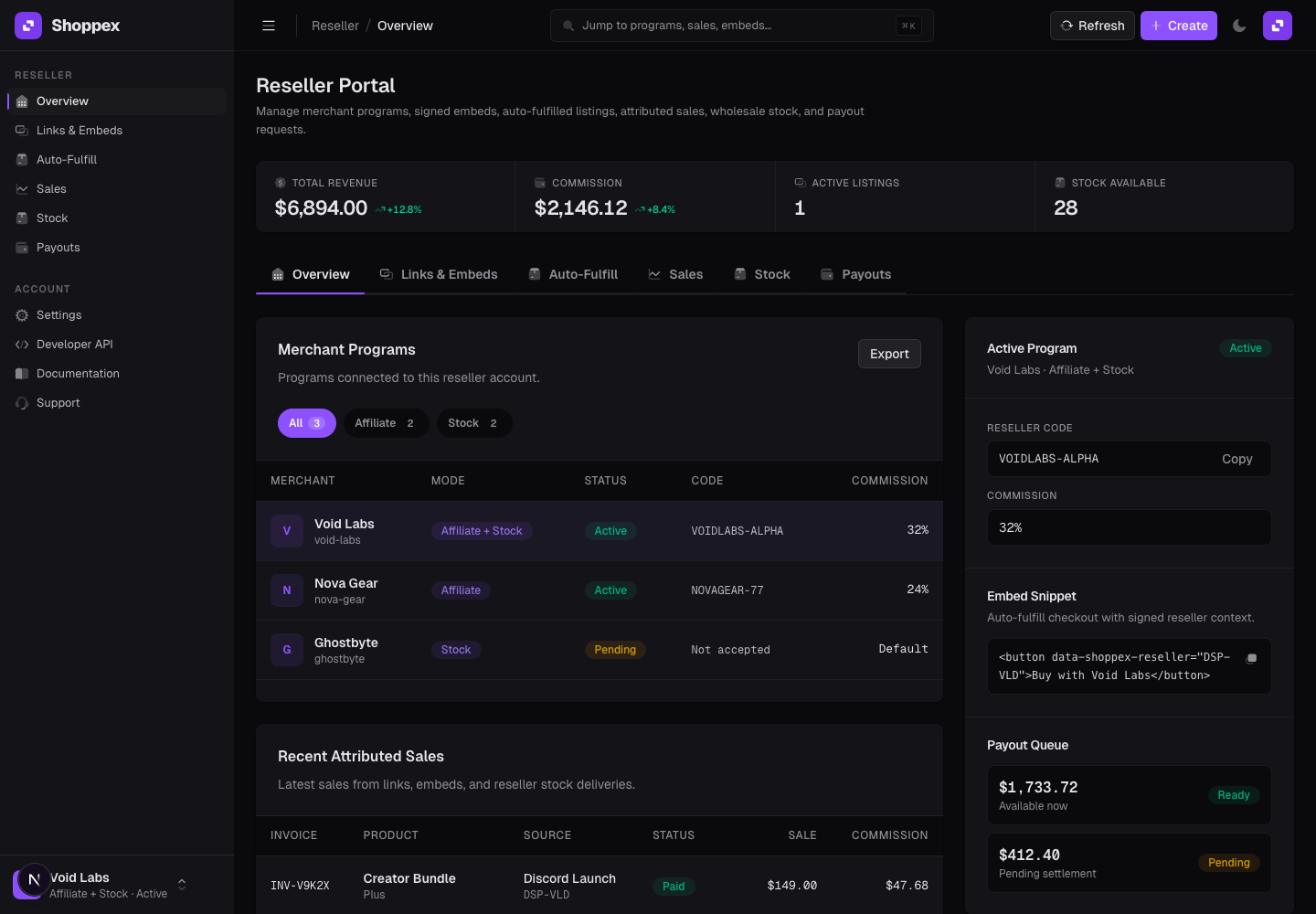
So we built the Reseller Portal as its own workspace. Not a guest login to the merchant dashboard. Not a loose affiliate page. A focused surface where a reseller can see the merchant programs they belong to, get the right selling tools, track performance, request stock, deliver inventory, and ask for payout without pulling your team into every small operational step.
Here is what shipped, and where it fits.
Why this exists
A reseller is not the same thing as a merchant manager.
A merchant manager needs products, orders, customers, gateways, disputes, domains, webhooks, and store settings. A reseller needs something narrower: access to the products they are allowed to sell, links or embeds that carry their attribution, visibility into their sales, and a clean way to request payout or stock.
Putting both people in the same dashboard creates two bad outcomes. Either the reseller sees too much, or the merchant team keeps the reseller outside the product and runs the program manually.
The Reseller Portal is the middle path. The reseller gets a real account and a real workspace, but every view is scoped to their merchant relationships.
Simple example: a software seller invites a Discord operator as a reseller. That reseller signs in, sees the merchant program, copies a signed embed snippet, sells a license, sees the attributed sale, and requests a payout. The merchant keeps control of products, fulfillment, and program terms, and pays the reseller directly or converts the commission to store credit.
The portal is built around merchant programs
The first thing a reseller sees is not a global marketplace. It is a list of merchant programs they have been invited to.
Each program has a status, a mode, a reseller code, and the terms the merchant has assigned. One reseller can be active for one merchant, pending for another, and affiliate-only for a third. That matters because reselling is rarely one shape.
Shoppex supports three useful selling patterns, plus a hybrid mode for partners who need more than one:
- Affiliate mode: the reseller sends customers through tracked links or embeds and earns commission. The merchant price stays the customer price.
- Stock mode: the reseller buys inventory at wholesale terms, then distributes assigned stock to their own customers.
- Auto-fulfilled mode: the reseller lists eligible serial products without pre-buying stock. The customer pays the reseller listing price, supplier inventory is allocated during checkout, and the margin is recorded.
- Hybrid mode: the same reseller relationship can combine affiliate and stock workflows when the merchant wants both.
Those modes live in one portal because operators often need more than one. A partner might start with affiliate links, move to embedded checkout on their own site, and later buy wholesale stock for higher-volume distribution.
Links, embeds, and listings sit in one place
The easiest reseller flow is still a tracked link. It is simple, fast, and works anywhere.
But a serious partner usually wants the checkout closer to their own audience. That is where signed embed campaigns come in. A reseller can create an embed campaign, optionally limit it to specific products, copy the snippet, and place it on a website, Discord page, Telegram drop, or internal landing page.
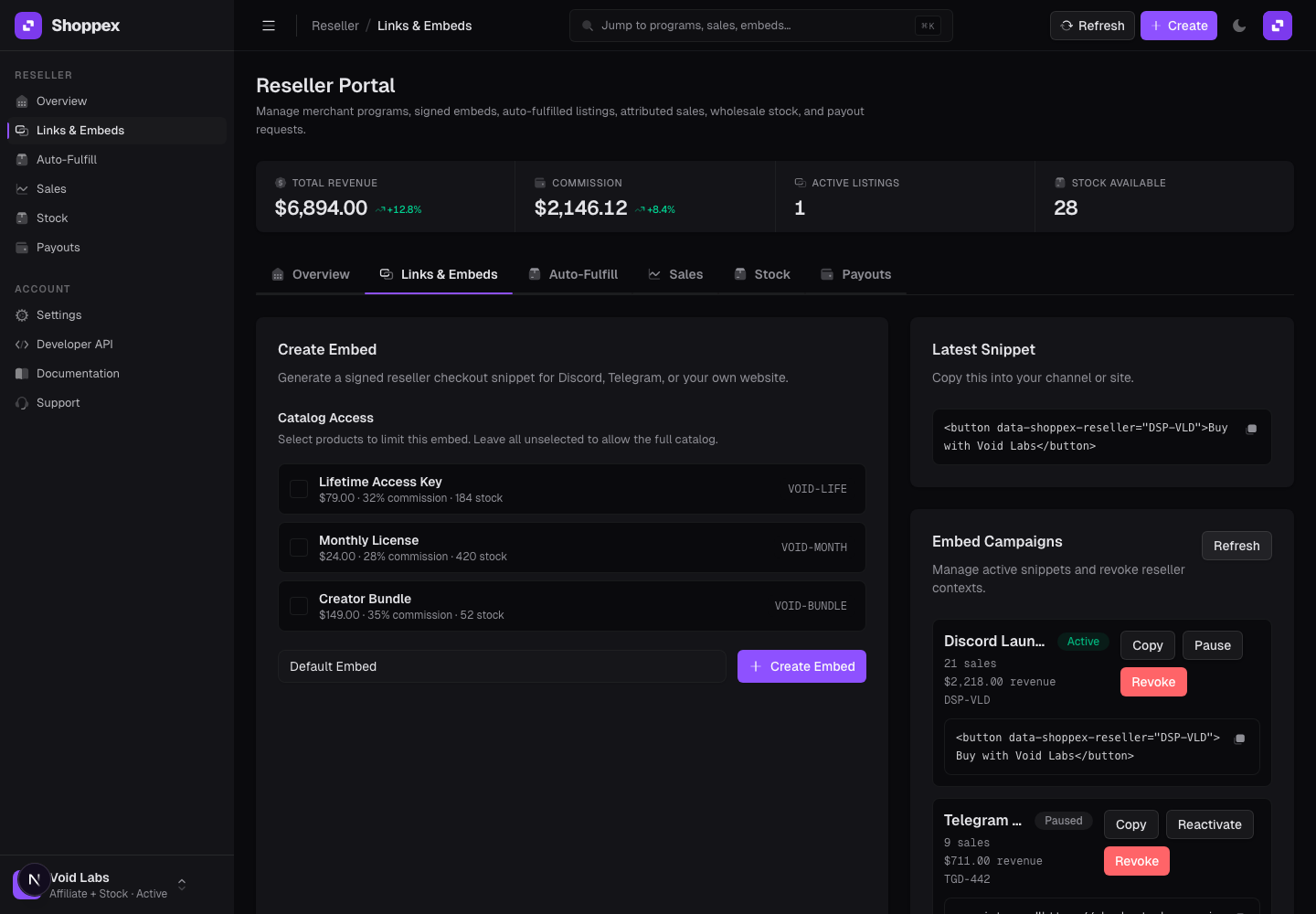
The important part is trust. Checkout should not believe random browser-supplied reseller IDs or prices. Shoppex uses server-owned reseller context for attribution, product access, and listing checkouts. The reseller gets a snippet they can use, while the merchant keeps control over what can actually be sold.
Auto-fulfilled listings go one step further.
For eligible serial products, the reseller can set a sale price, see the expected margin against the merchant wholesale price, and generate a listing snippet. The reseller does not need to hold stock upfront. When a customer buys, Shoppex allocates supplier inventory through the normal checkout and fulfillment path.
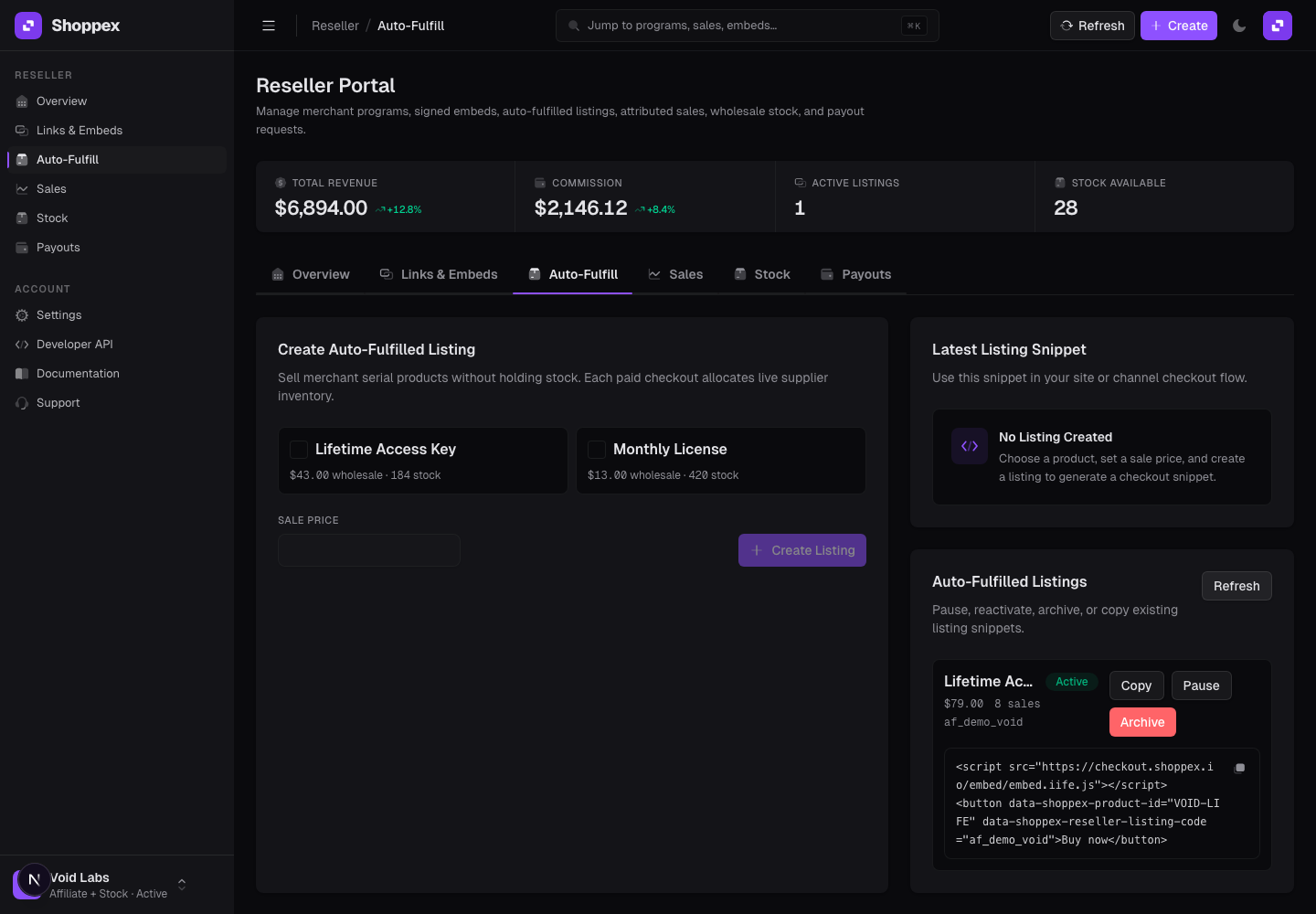
That is useful for partners who have distribution but do not want to pre-buy keys before they know demand. It also keeps the merchant out of one-off listing setup work.
Stock mode is for partners who need inventory control
Some resellers do not want attribution only. They want inventory.
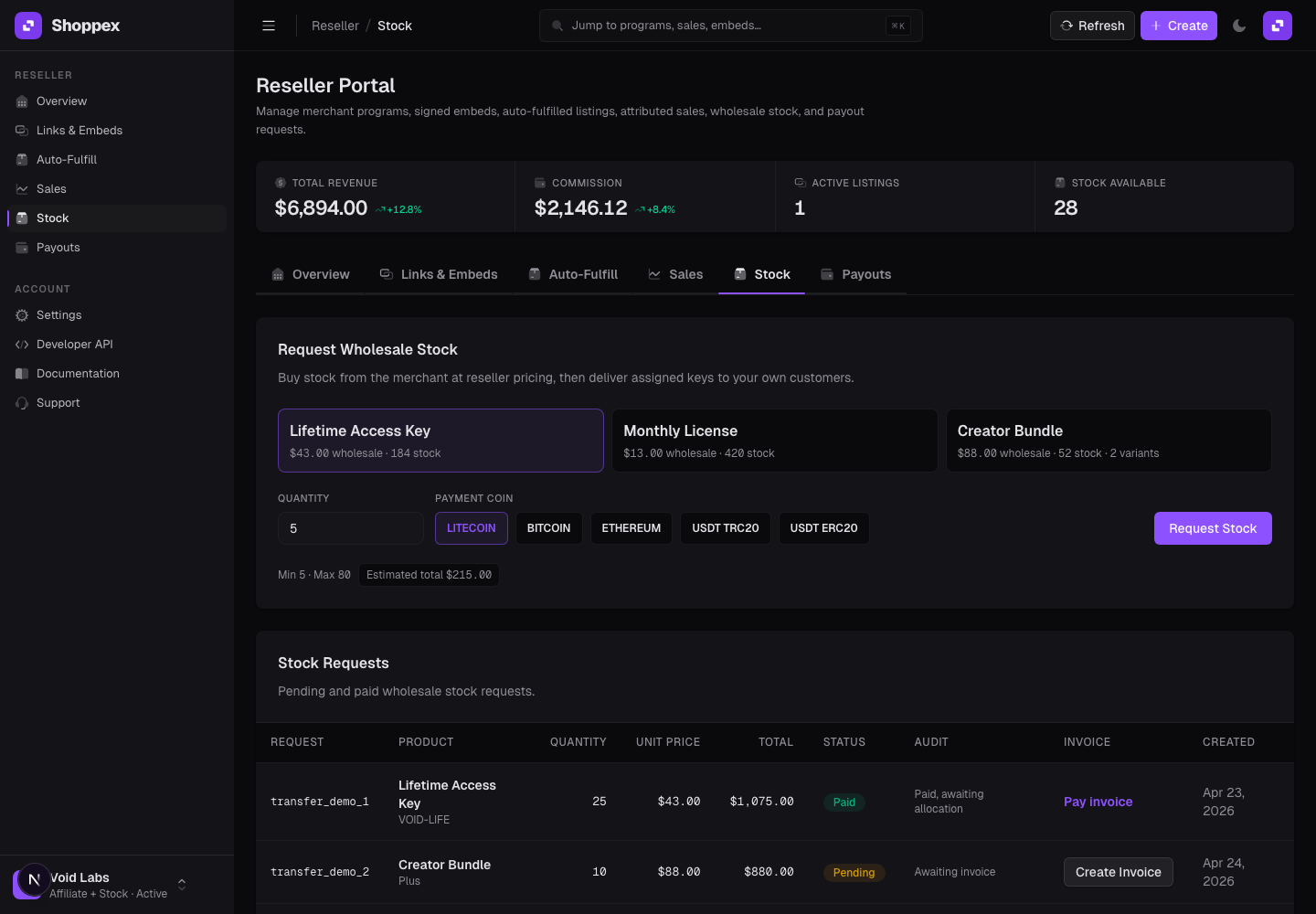
Stock mode is built for that. The merchant exposes wholesale pricing and quantity limits. The reseller selects a product or variant, chooses a quantity, picks a payment coin, and requests stock. From there, the stock request can move through invoice, payment, allocation, and delivery states.
This is where spreadsheets usually start to appear in other systems. Who paid for which batch? Which keys were assigned? Which items are still available? Which customer received which serial?
The portal keeps that operational state inside Shoppex. Resellers can see stock requests, available inventory, delivered inventory, and revoked inventory. They can export available inventory when needed, or deliver a single assigned item to a customer email from the portal.
Simple example: a reseller buys 25 lifetime access keys at wholesale price. After payment and allocation, those keys appear in reseller inventory. The reseller can deliver one key to a customer, copy the delivered serial, and still see the remaining available count.
Sales and payouts stay visible
A reseller program gets tense when the reseller cannot answer two questions:
What did I sell?
When do I get paid?
The portal keeps both visible. Attributed sales show invoice, product, source, status, sale amount, and commission. The overview also surfaces total revenue, commission, active listings, and available stock.
Payout requests are intentionally merchant-funded. The reseller can request a payout with amount, asset, network, wallet address, and an optional note. The merchant reviews the request and pays the reseller directly, or converts the commission to store credit. That keeps the payout operation tied to the merchant relationship instead of pretending Shoppex is holding a global reseller balance.
For merchants who require verification before payout, the program can enforce that before new reseller payout requests are allowed.
API keys are for resellers with their own shops
Some resellers do not want another portal as their main selling surface. They already have a shop, a bot, a landing page, or a checkout tool that their customers use.
That is where the Reseller Portal now becomes a fulfillment backend.
A reseller can create a scoped API key from the portal, connect it to an external shop, and ask Shoppex to deliver merchant stock after a customer buys. The key is tied to one reseller relationship, not to the merchant's full shop. The external system can read balance, create fulfillments, fetch fulfillment status, or use a dynamic URL when it cannot send a normal API request body.
Simple example: a reseller sells a license from their own storefront. After payment, their store calls a Shoppex dynamic URL with the external order ID, customer email, product ID, and quantity. Shoppex checks that the reseller is allowed to sell that product, checks the reseller's prepaid balance with that merchant, debits the wholesale cost, claims the serial, and returns the delivered item.
That is the important shift. The reseller can sell from their own surface. The merchant does not need to export a batch of keys or trust a loose spreadsheet. Product access, wholesale price, quantity limits, balance, stock claiming, and fulfillment history still live inside Shoppex.
That balance is store credit with the merchant. A top-up is an order in the merchant's store, paid to the merchant's own payment accounts like any other sale, and Shoppex keeps the ledger. The prepaid balance is deliberately part of the flow. If the reseller has enough balance, the wholesale cost is debited before delivery. If the balance is too low, the fulfillment fails cleanly instead of shipping merchant stock on trust.
For operators, this is the difference between "a reseller has my link" and "a reseller can run their own storefront against my controlled stock."
Who this is for
This is most useful for merchants selling digital goods where partners already drive demand.
If you sell software licenses, serial keys, paid communities, game assets, templates, private tools, or other digital products, resellers are often already part of the market. They run Discord groups, Telegram channels, niche forums, comparison sites, private communities, or customer relationships that your storefront alone will not reach.
The Reseller Portal gives those partners a controlled way to sell without giving them your merchant dashboard.
It is also useful for ops teams that want a cleaner reseller process. Instead of manually creating links, checking attribution, exporting stock, answering payout DMs, and manually topping up partners, your team can invite the partner once and let the portal handle the repeated work.
What this is, and what it is not
What it is: reseller infrastructure for Shoppex merchants. Invite partners, scope product access, give them links and embeds, support auto-fulfilled serial listings, handle wholesale stock requests, track attributed sales, manage merchant-funded payout requests, and let trusted resellers fulfill external-shop orders through scoped API keys.
What it is not: a public reseller marketplace, a nested reseller tree, or unrestricted access to merchant stock. There are no sub-resellers. Affiliate-mode resellers do not set the customer price. Auto-fulfilled listings and API fulfillment are currently scoped to eligible serial products. Checkout and fulfillment still run through Shoppex, which is the point: distribution changes, but the commerce core stays consistent.
That shape matters. Reselling should add distribution, not duplicate your whole business system.
How to start
For a merchant, the first step is simple:
- Enable the reseller program in the dashboard.
- Invite a partner.
- Choose the relationship mode and product access.
- Let the reseller accept the invitation and work from the Reseller Portal.
From there, the reseller can copy a link, create a signed embed, create an auto-fulfilled listing, request wholesale stock, create an API key, connect an external shop, track sales, and request payout.
If you already have partners selling through DMs, copied payment links, external checkouts, or manual key batches, this is the cleaner version of that workflow. Same stock controls. Same fulfillment core. Less operational drag.