6 min read
Your Theme Can Leave the Dashboard
Shoppex themes can be edited in the dashboard, handed to your own AI coding tool, previewed safely, and published without locking every change inside a paid builder.
 Shoppex Team
Most theme builders work fine until you need to do real theme work.
Changing a color, moving a block, or editing a headline belongs in a dashboard. Reworking a product page, adding a new section, cleaning up mobile spacing, or asking an AI coding tool to refactor a storefront should not be trapped inside one proprietary editor.
That is the shape we built for Shoppex themes: use the dashboard when it is faster, leave the dashboard when the work needs code, and bring the result back through the same preview and publish flow.
Why this matters
A storefront is not just a settings form. For a serious digital product business, the storefront is part of the product.
You might need a product card that explains license tiers better. You might want a checkout entry point embedded into a launch page. You might want a private AI coding tool to inspect the theme, find the right component, and make a focused change across desktop and mobile.
In many systems, that puts you in an awkward place. You either stay inside the visual builder and accept its limits, or you leave the platform and lose the safety of hosted preview, deployment, permissions, and checkout integration.
Shoppex themes are designed to avoid that split.
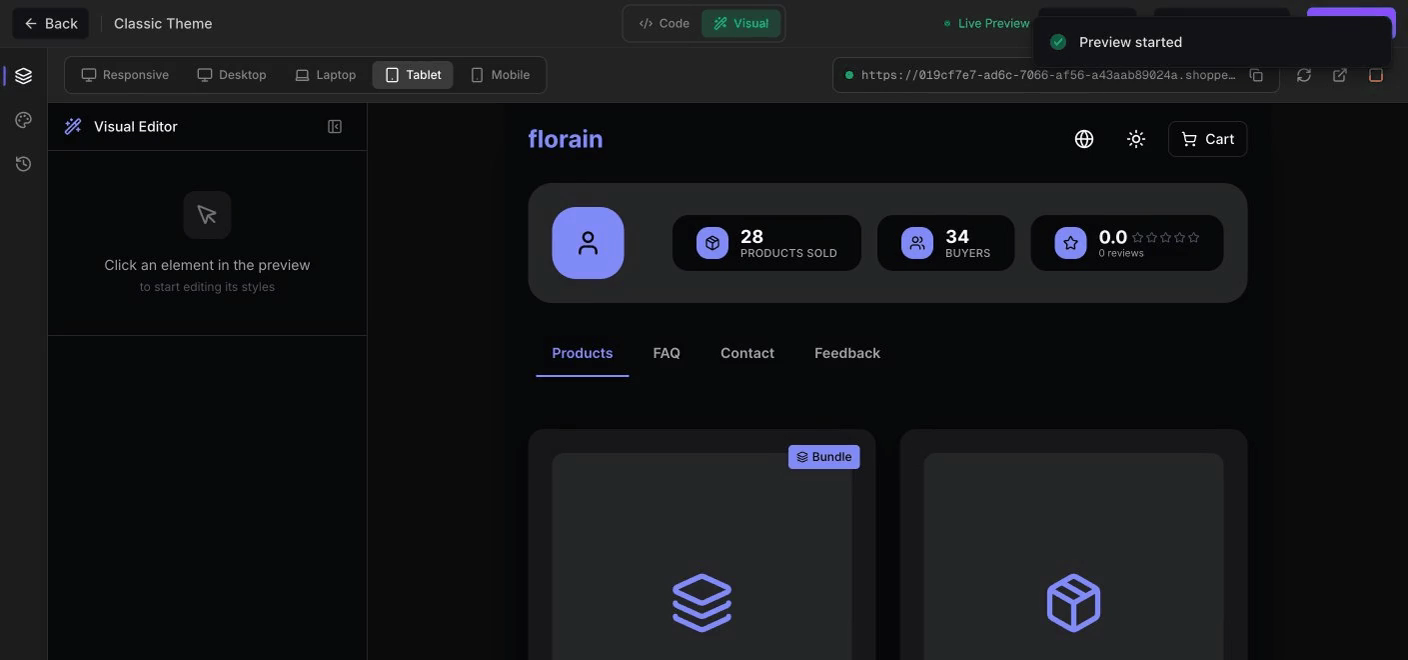
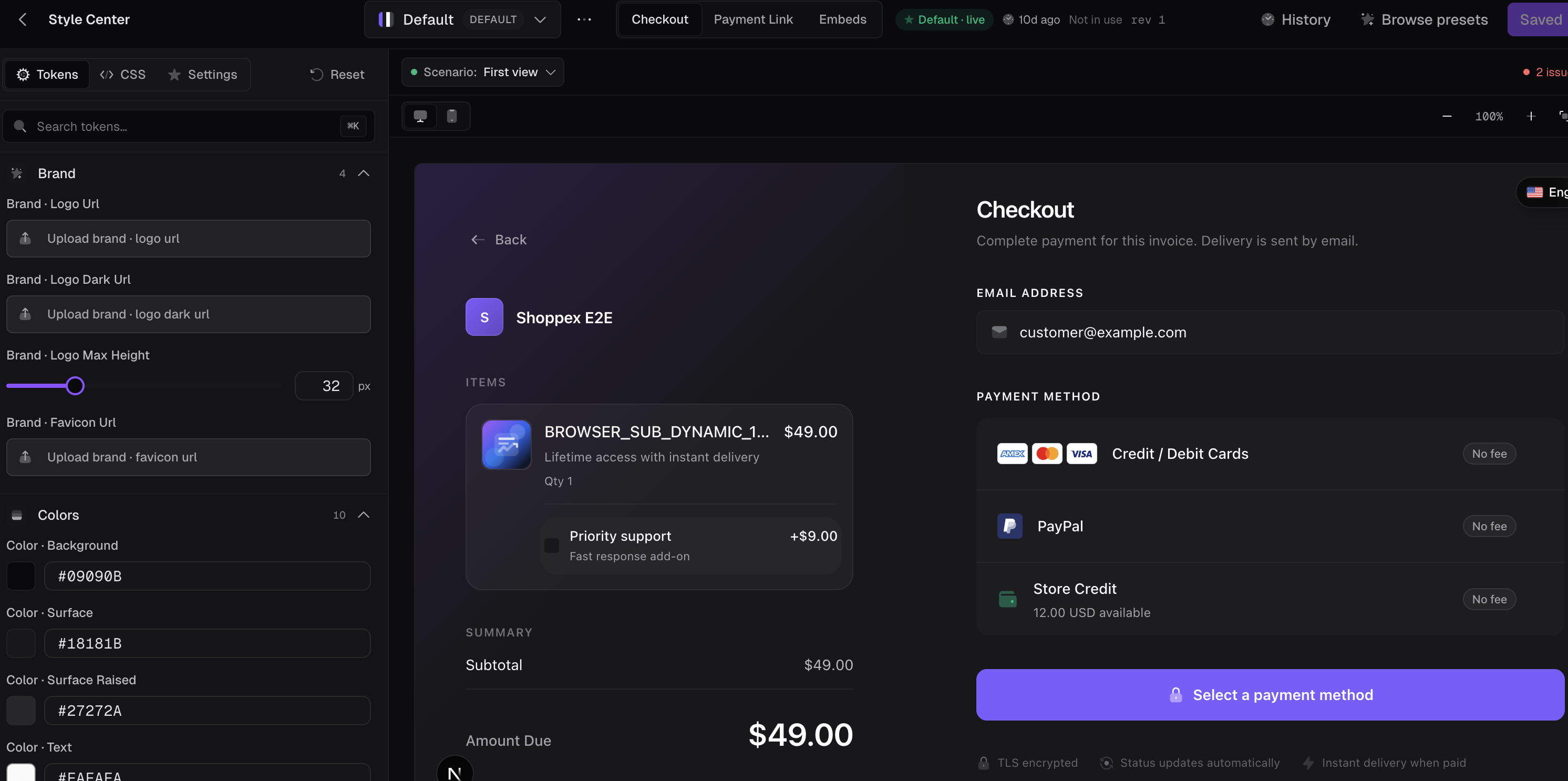
The dashboard still handles the fast work. The visual editor lets you work with pages, sections, responsive previews, content, visibility, ordering, and publish state. The Style Center covers checkout, payment links, embeds, brand assets, tokens, scoped CSS, and presets.
But when the work needs real source changes, the theme can leave.
The theme is real code
Shoppex storefront themes are theme packages, not screenshots of a template.
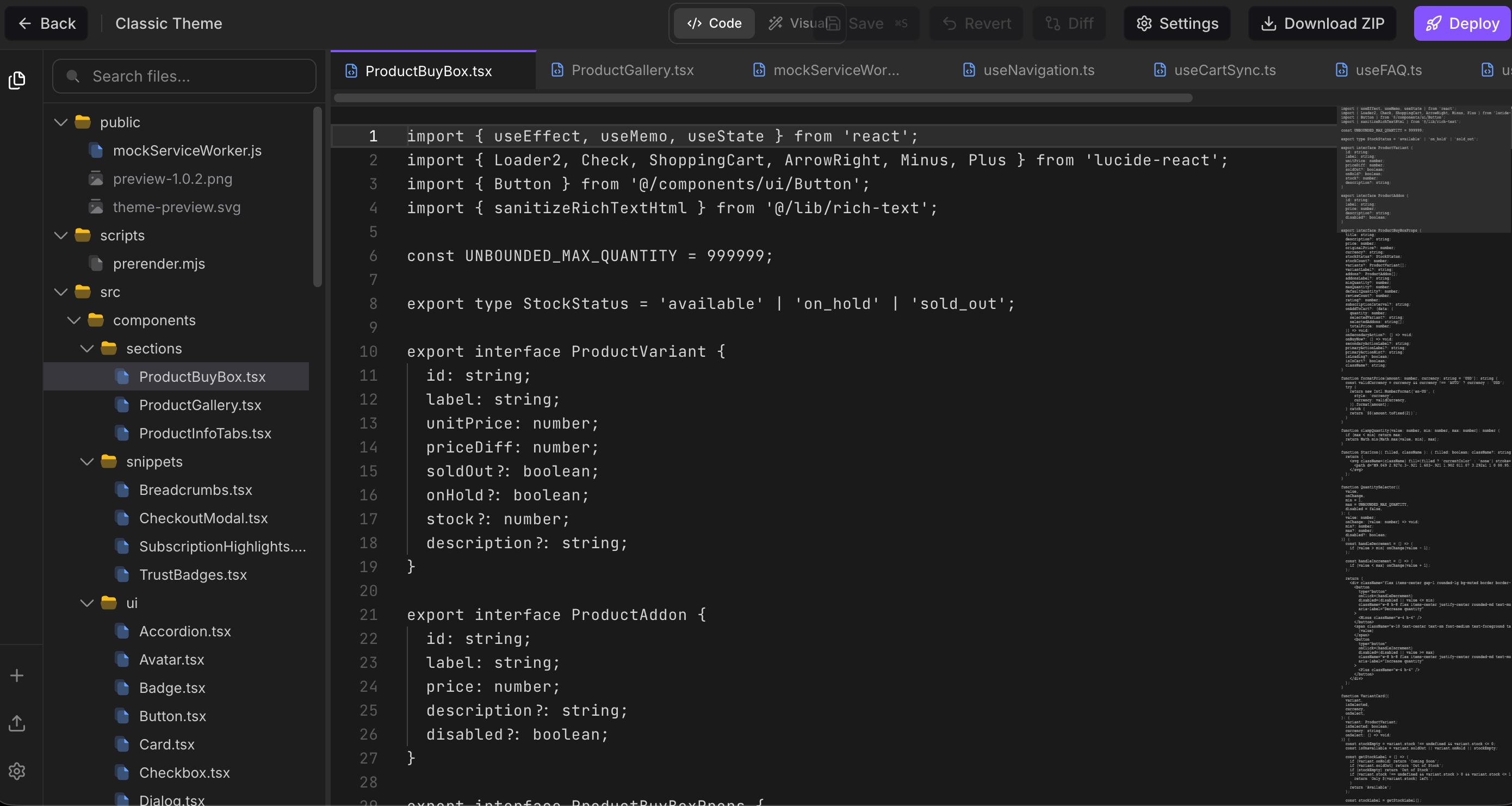
That means advanced work can happen against actual files: React components, theme config, manifests, assets, styles, and section definitions. A developer can export a theme, edit it locally, validate it, preview it, and push it back. An AI coding tool can do the same thing through the scoped theme control tools.
Simple example: you start from an editable copy of the Classic theme. You want the product page to explain subscription options more clearly, show a stronger trust section, and tighten mobile spacing. That is not one color token. It is source work.
In Shoppex, you can open the theme source, change the relevant section files, run a preview, and publish when the result is right.
shoppex auth login --api-key shx_your_key
shoppex theme pull --theme theme_id --dir ./my-theme
cd ./my-theme
shoppex theme dev       # saves a draft and refreshes the hosted preview as you edit
shoppex theme push      # saves your files as a draft, the live store does not change
shoppex theme publish   # makes the draft live
The important part is not the command syntax. The important part is the ownership model: the storefront can be edited where serious storefront work already happens.
The dashboard still stays useful
Leaving the dashboard should not mean abandoning the dashboard.
The visual editor is still the fastest place for everyday changes. You can add, reorder, duplicate, hide, remove, and edit sections without touching code. You can preview desktop, tablet, and mobile. You can adjust declared fields and style slots when the theme exposes them.
The Style Center covers the parts that should not require a developer at all: brand colors, typography, border radius, checkout appearance, embed launcher behavior, modal styling, logos, hero assets, scoped CSS, and reusable presets.
That split matters. A merchant should not need a code editor to change the brand feel of checkout. A developer should not be forced through twenty form controls to make a structural product page change. An AI coding tool should not be asked to guess through a browser-only builder when it can inspect files directly.
Each surface does the job it is good at.
Bring your own AI
The most interesting part is the handoff.
Shoppex can create a short-lived theme handoff session for external tools like Codex, Cursor, Claude Code, Claude Desktop, or Windsurf. The handoff is scoped to one theme. It can read and write that theme. It does not get access to customers, payments, payouts, products outside the needed context, or other storefront themes.
That makes the AI workflow feel closer to normal software development:
- Open the theme from Shoppex.
- Hand it to your AI coding tool.
- Ask for one focused change.
- Review the diff or local preview.
- Push a preview back to Shoppex.
- Publish when you are ready.
The external AI does the reasoning in your own tool. Shoppex handles the theme control plane: inspect, read, search, apply, validate, preview, publish, rollback, and source revision checks.
That is the difference from a token-metered builder loop. If you want the in-dashboard Shoppex Theme Builder Agent, it exists. But you are not forced to buy platform AI credits for every serious theme edit. You can use your own AI subscription, your own editor, and your own development workflow.
Preview is the gate
AI should not silently ship buyer-facing changes.
A local push can create a preview. Publishing is a separate step. The workflow is built around review: validate the source, start a preview, inspect the storefront, then publish intentionally.
There is also source revision protection. If the remote theme changed after you pulled it locally, Shoppex can stop the push instead of silently overwriting newer work. That matters when a merchant, a developer, and an AI tool are all touching the same storefront.
Simple example: your designer adjusts the homepage in the visual editor while your AI tool is editing the product page locally. The next push should not erase the designer's work without warning. Revision checks make that conflict visible.
The goal is not to make AI magical. The goal is to make AI useful without removing the gates that keep storefront changes sane.
What this is, and what it is not
What this is: a way to treat Shoppex themes like real software while still keeping the hosted commerce layer. You can edit visually, style checkout, work locally, hand the theme to an AI coding tool, preview safely, and publish through Shoppex.
What it is not: raw database access, a self-hosting requirement, or a promise that an agent should publish production changes without review. Checkout, fulfillment, payments, and storefront delivery still run through Shoppex. The theme gets more flexible. The commerce core stays controlled.
It is also not a claim that AI is free. If you use Shoppex's in-product AI agent, that work can use Shoppex AI credits. The external workflow is different: bring your own AI, use scoped theme tools, and let Shoppex handle the preview and publish path.
How to start
Start with one focused theme change.
Pick an active storefront theme. Open it in the dashboard and decide whether the change belongs in the visual editor, the Style Center, or source code. If it is source work, create an AI handoff, open the theme in your editor, and ask your AI tool for a narrow change you can review.
Do not start with "redesign the whole store." Start with "make the product page clearer on mobile" or "add a trust section under the buy box."
Then preview it. If it works, publish it.
That is the point of the system: fast dashboard edits when they are enough, real source control when they are not, and an AI workflow that does not lock your storefront inside somebody else's builder.