13 min read
Shoppex 2.0: A New Dashboard, Checkout, Embed and Builder
Shoppex 2.0 rebuilds the dashboard, checkout, embed and theme builder, and adds physical products with shipping, automations and ForkMe, a free theme built to be forked.
 Shoppex Team
Shoppex 2.0 is live. The dashboard, the checkout, the embed and the theme builder are new, rebuilt screen by screen.
It also does three things Shoppex could not do before. You can sell physical products and ship them. Automations handle chargebacks, low stock and Discord roles for you. And ForkMe, a free theme built to be forked, gives you and your AI agent a clean start for a store that looks like nobody else's.
The dashboard
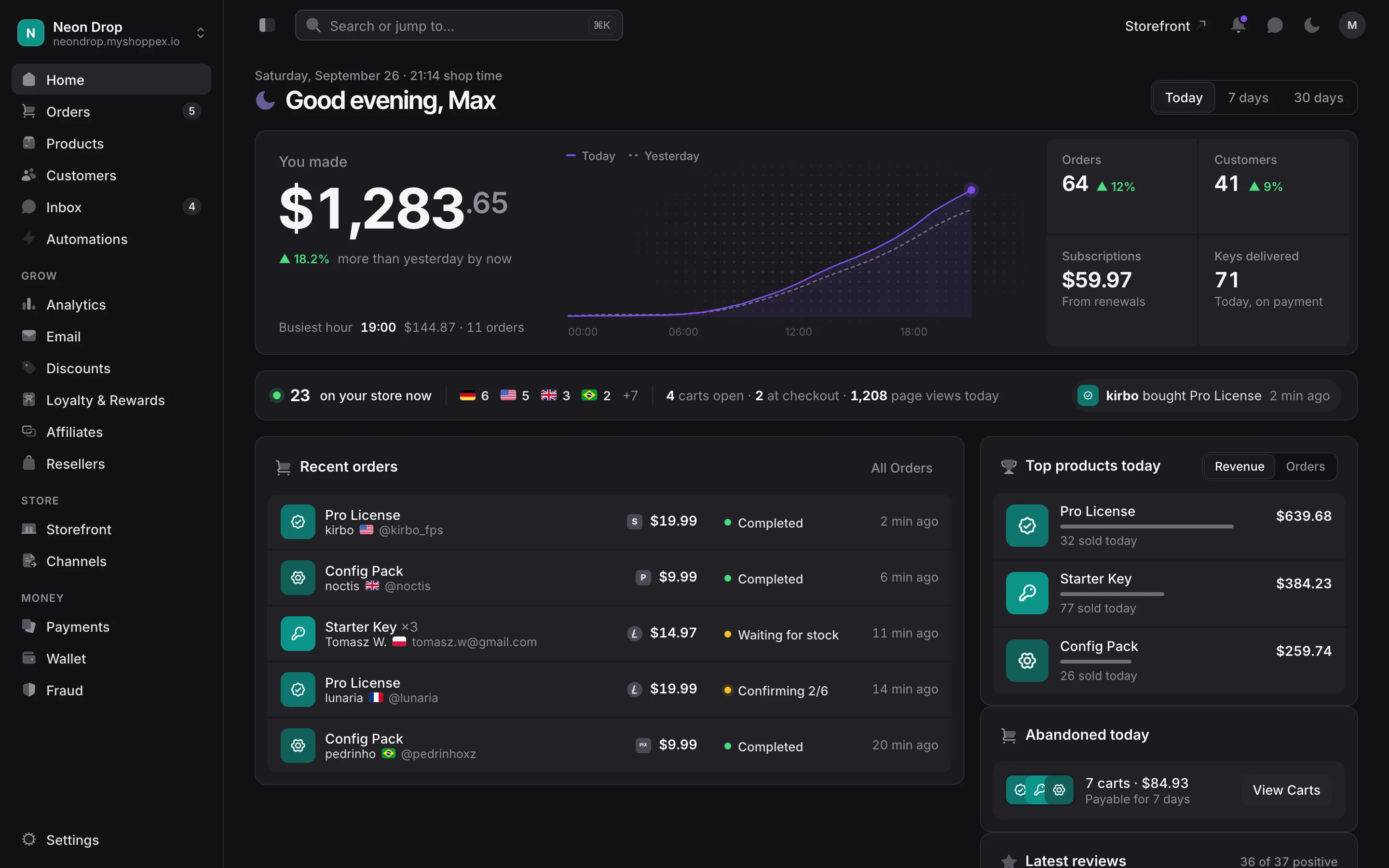
Home opens on what you made today, to the cent, with a dashed line for where you were yesterday at the same hour. Under it runs a live strip: how many people are on your store right now and from which countries, how many carts are open, how many buyers sit at checkout, and the latest sale.
Recent orders lead with the product, the buyer's flag and their Discord handle. When keys run out while paid orders wait, the order says "Waiting for stock" and Home names the product to restock. If a paid cart holds something that sold out, the order asks you one question: delivered by hand, or refunded?
The rest of the app was redrawn too. The order page puts the customer, the payment, the delivery and the fraud check in one row at the top. Customers show their Discord name, and you can filter for the ones who have one. Settings has a search. Billing gives you a statement per month, every fee per sale and one button to pay all open fees. Fraud has a new page, Checkout stops, with every checkout Shoppex blocked, the reason, the rule that caught it and the cart. Home, the orders and the order page are laid out for a phone too.
The checkout
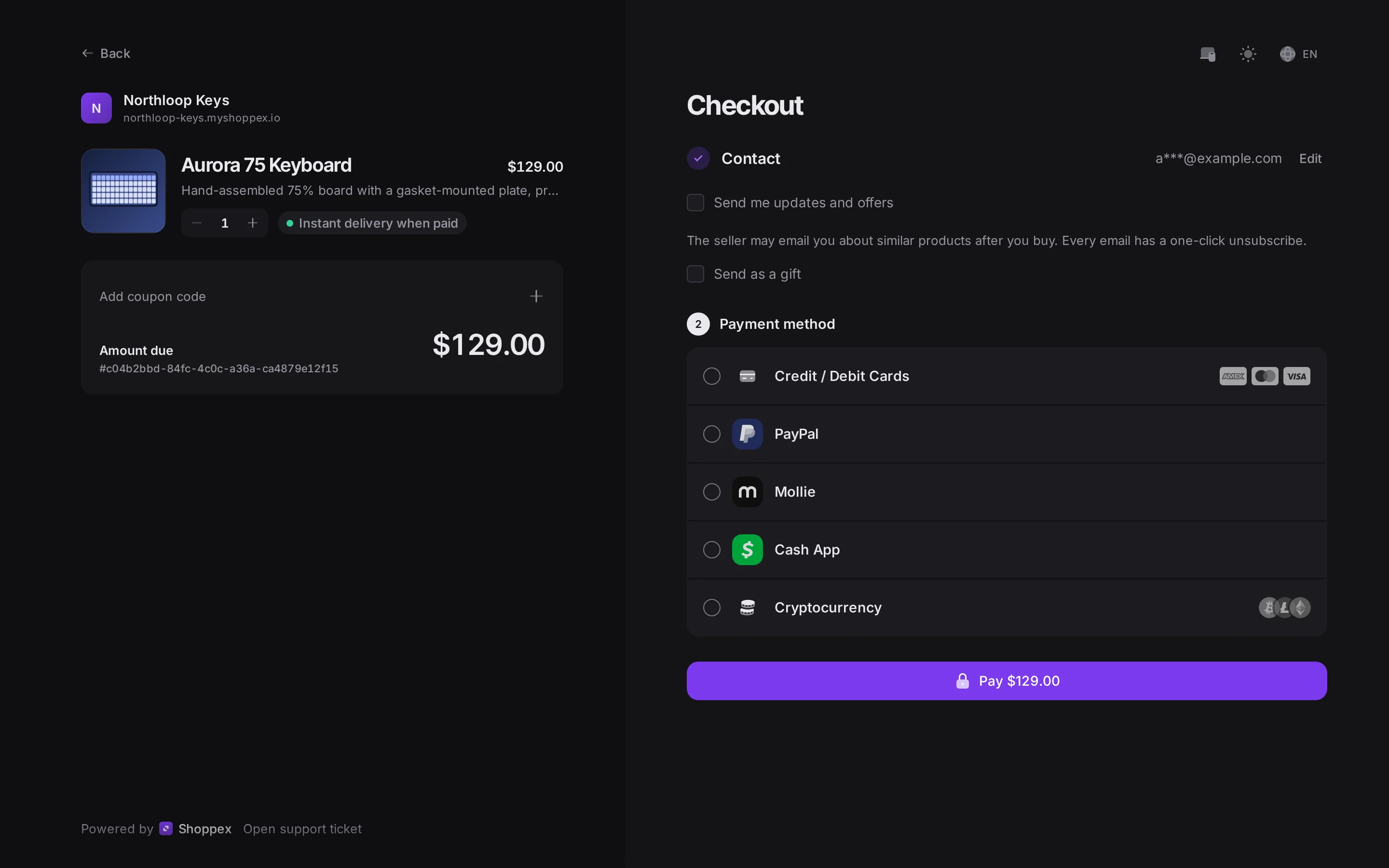
The checkout asks for one thing first: the buyer's email. Every payment method you turned on sits right under it, in one list. The rest shows up only when the cart needs it: a shipping address for physical goods, your custom fields, a Discord login when the product needs one.
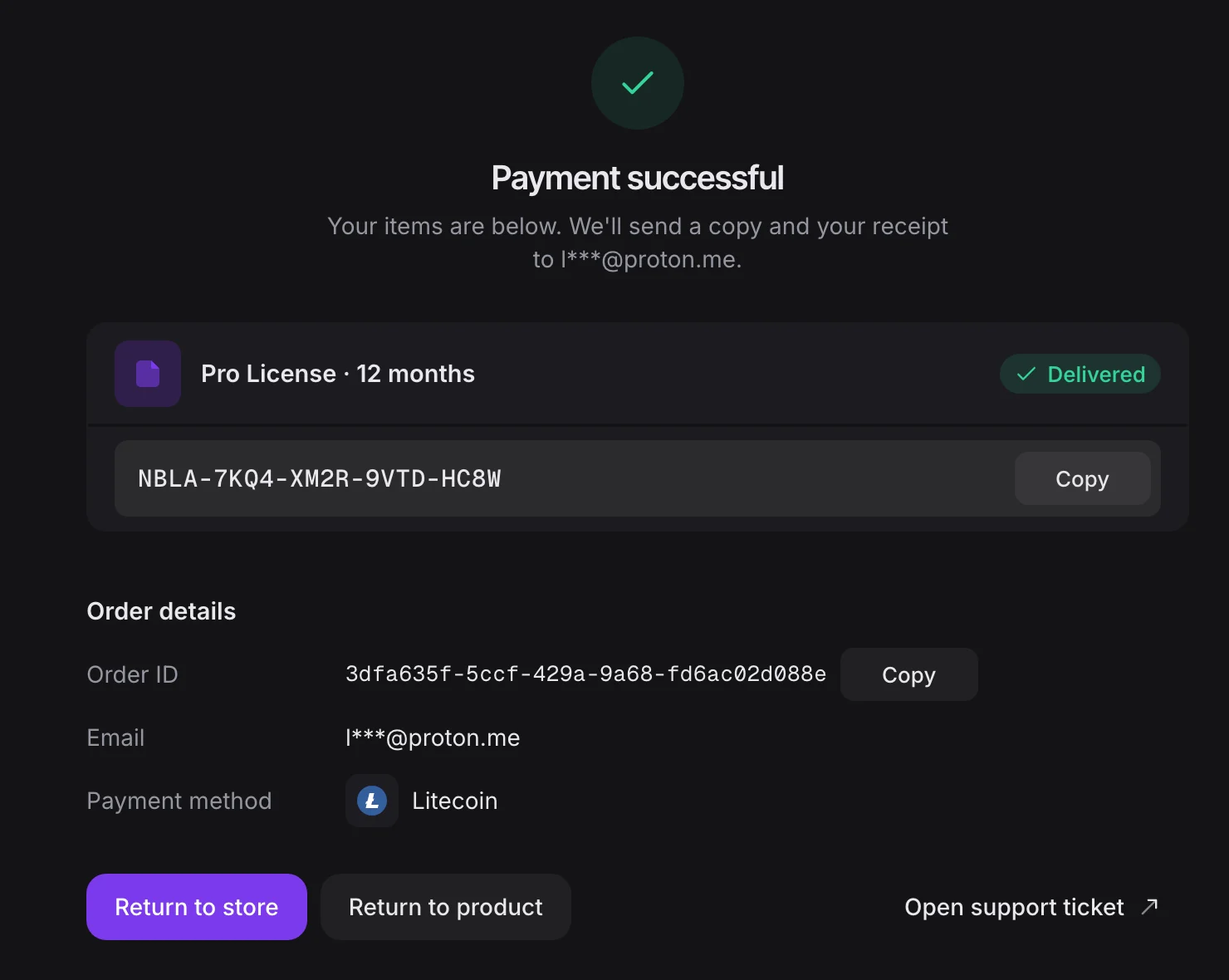
A buyer who types gmial.com gets asked once, at Pay, whether they meant gmail.com. A crypto payment shows the QR code, the exact amount with a copy button and a status that moves on its own as confirmations come in, so nobody refreshes. After payment the key or file is right on the page with a copy button, and the same goes to the buyer's inbox.
Buyers pick currency and language from one menu, with 16 languages, Arabic right to left included. The look comes from the Style Center: 12 colour roles, light or dark, any Google Font. Set it once and it covers the checkout, your payment links and the embed.
The embed is the checkout now
The embed opens your checkout in a window on your own site, from one script tag and a button. In 2.0 it is the new checkout, built for a smaller frame, with the same Style Center settings. Change your brand colour once and both follow.
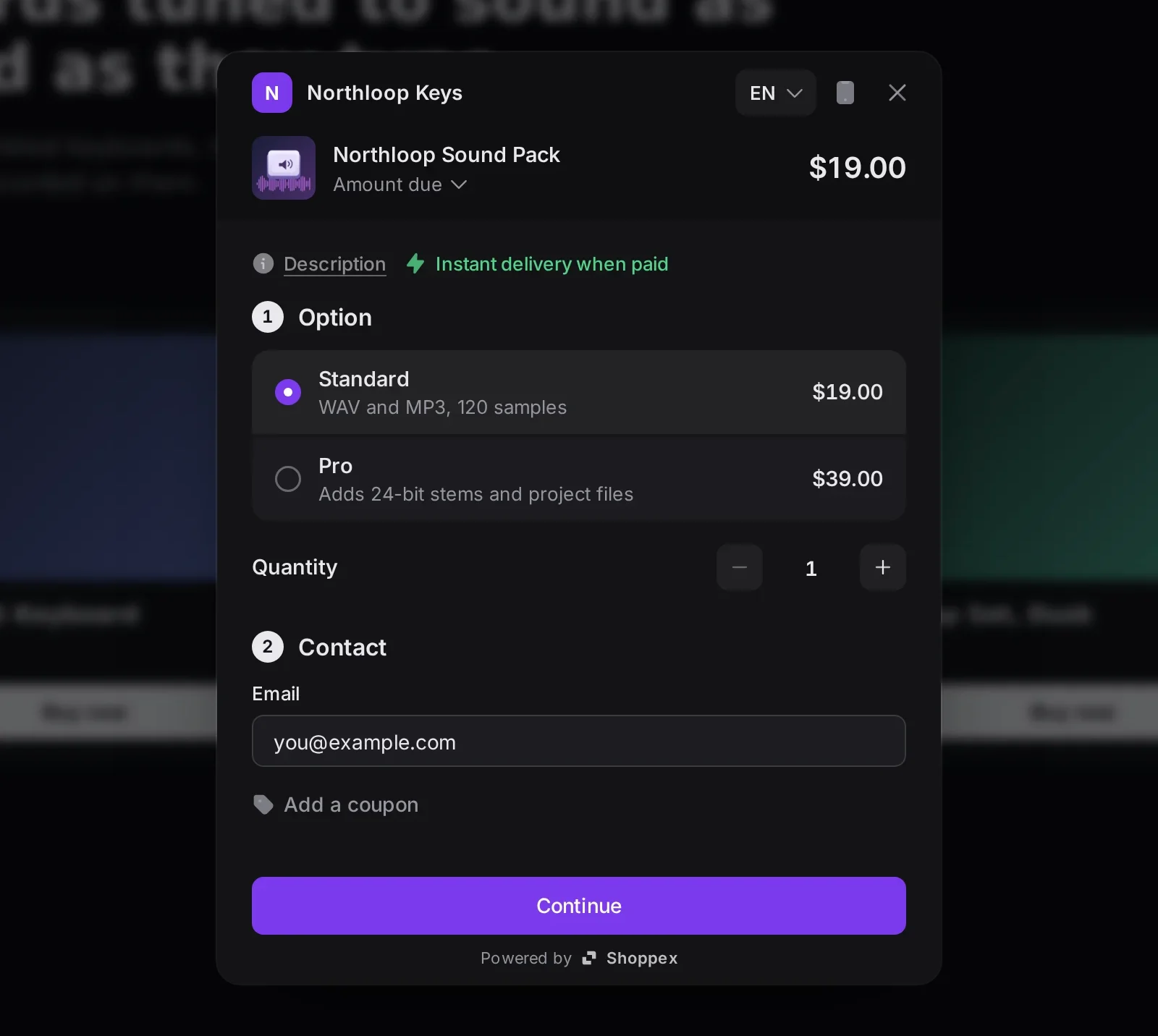
Buyers never leave your page to decide. They read the product description, pick an option, see how many are left, change the quantity, name their price above your minimum, add a coupon or renew a license key they already own. Add a few more of something and the embed says how many more unlock your volume discount. On a desktop, a QR code moves the checkout to the buyer's phone with their email and choices kept. Methods that allow it are paid inside the window. PayPal, Mollie and other redirect methods open their own tab, and the window updates once the payment arrives.
Setting it up has its own page in the dashboard: paste the script, pick a product, copy the button code, and watch a live preview of the window in light or dark at the height you chose.
The theme builder
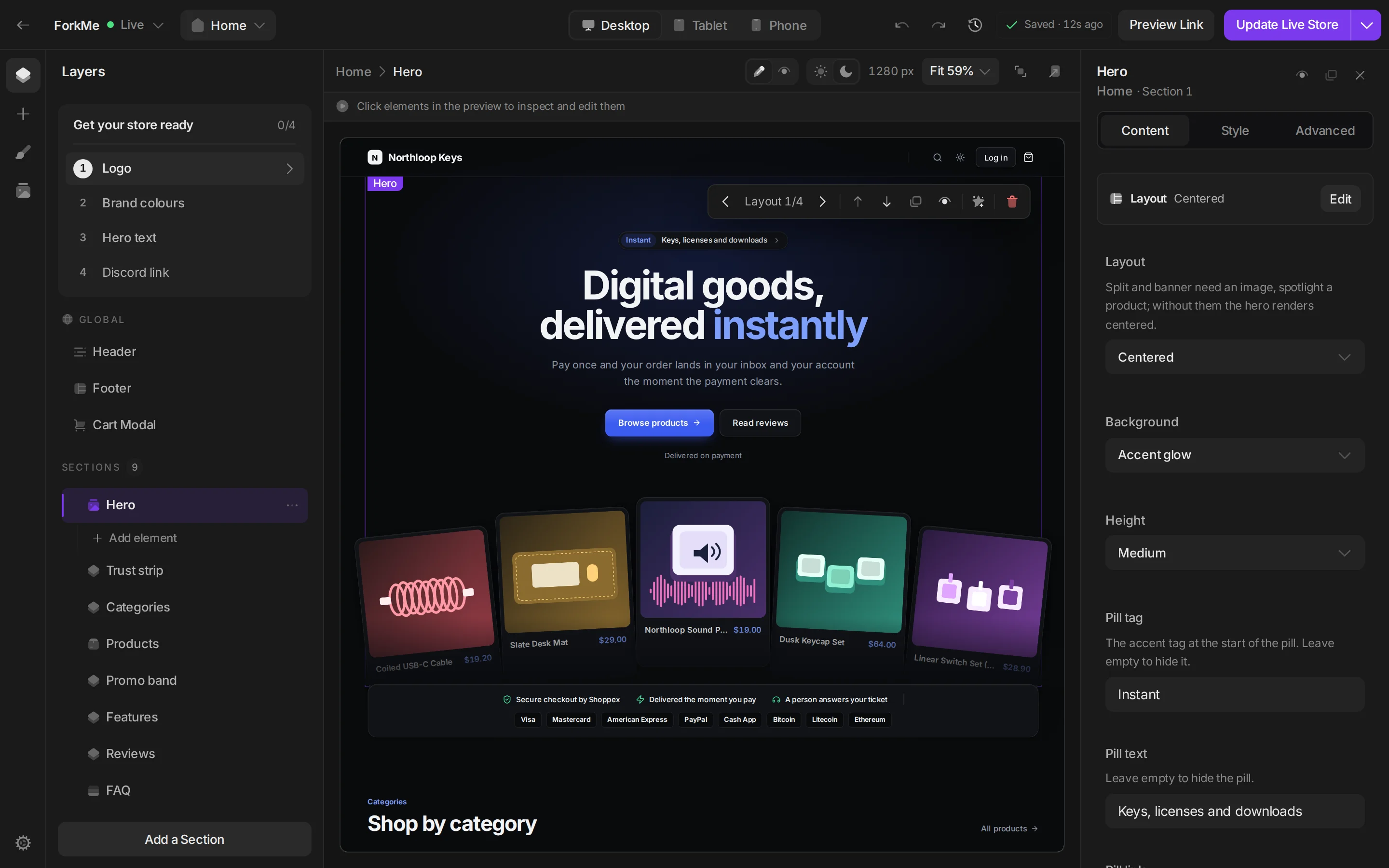
The builder is new from the ground up. Your store sits in the middle. Click a block and it is selected everywhere at once: on the page, in the layers, in the settings and in the breadcrumb. Add a section right where it belongs, with a preview before you insert it. Colours and fonts have their own Style tab, and the canvas switches to phone or tablet width while you keep editing.
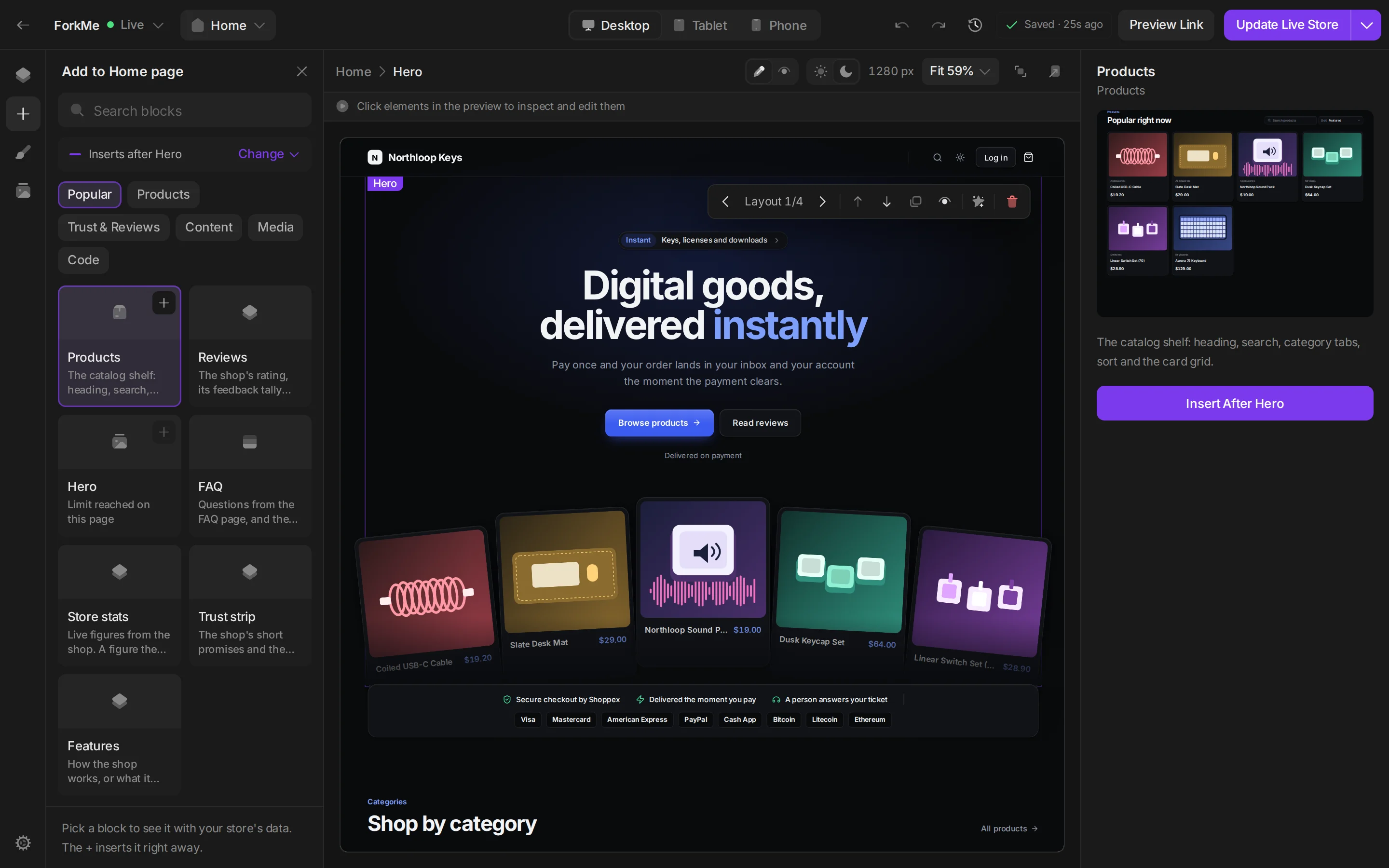
Nothing reaches buyers until you press Update Live Store. Until then every change is a draft. Send a link to that draft for a second opinion and revoke it when you are done. The History drawer keeps checkpoints, so any earlier state comes back as a draft. A "Get your store ready" checklist shows what is left before launch, and Ask AI rewrites the text or swaps the icon on the block you picked, then tells you what it changed.
New in 2.0
Physical products, with shipping
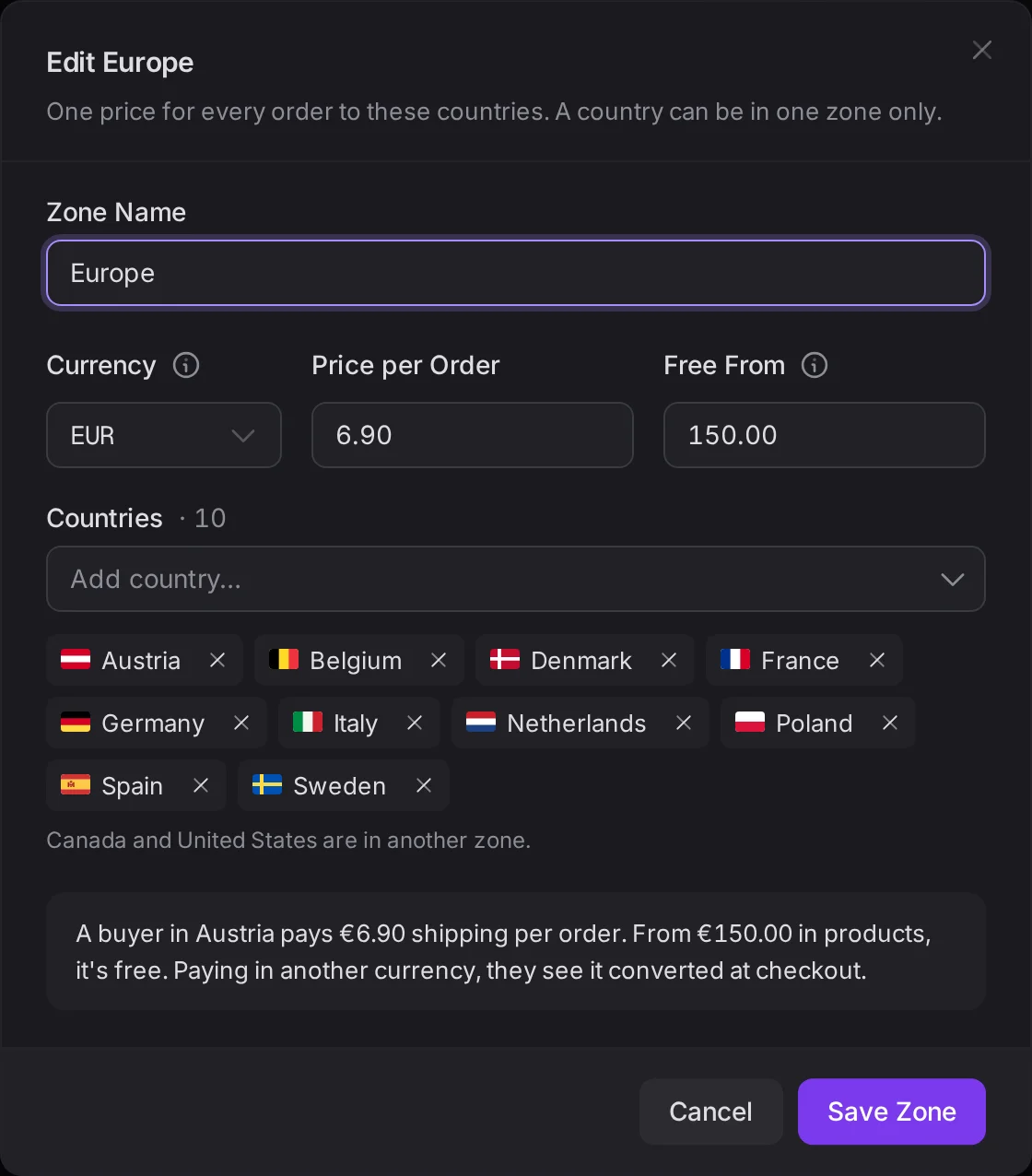
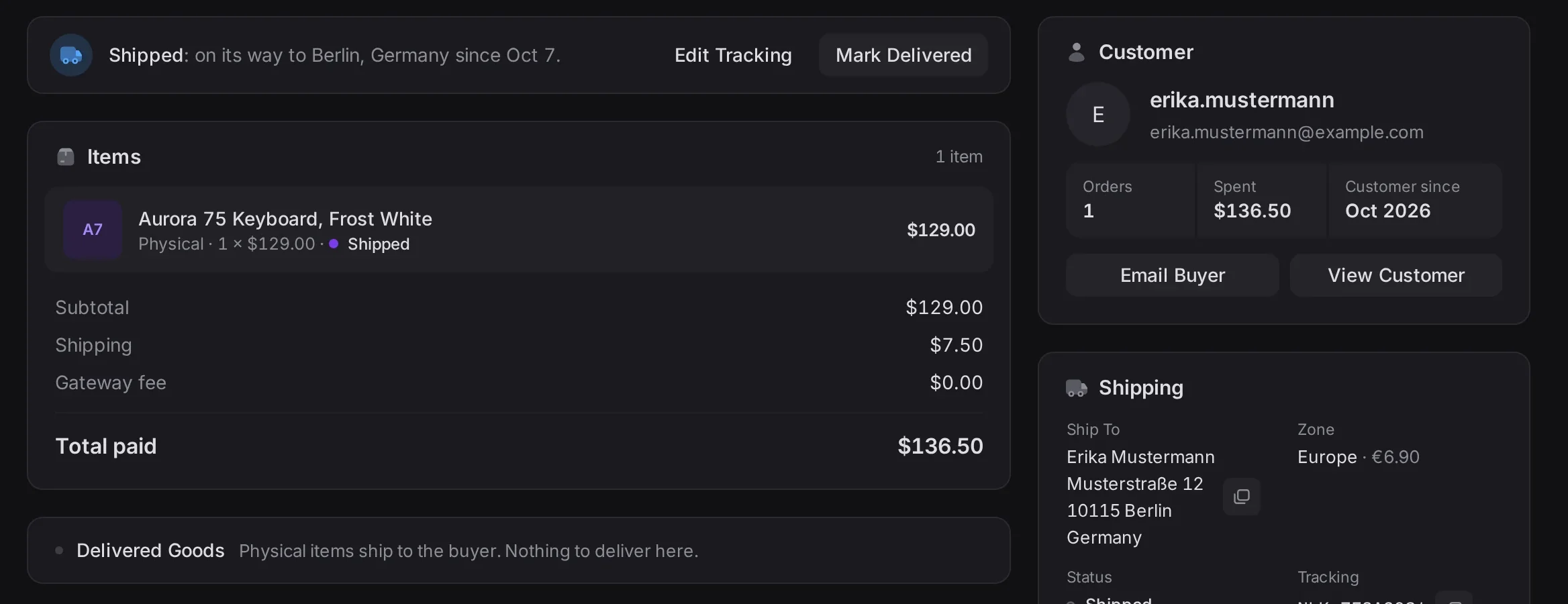
Physical is the sixth delivery type, next to keys, files, services, dynamic delivery and subscriptions. Group countries into shipping zones, give each zone a flat price and, if you want, a free-shipping threshold. Buyers enter their address at checkout. When the parcel leaves, press Mark Shipped and add the tracking code. The buyer gets a "shipped" email and sees the tracking on their order page.
Physical products are on both plans. The first version keeps it simple: no carrier rates or labels, one shipment per order.
Automations: 22 triggers, 11 actions
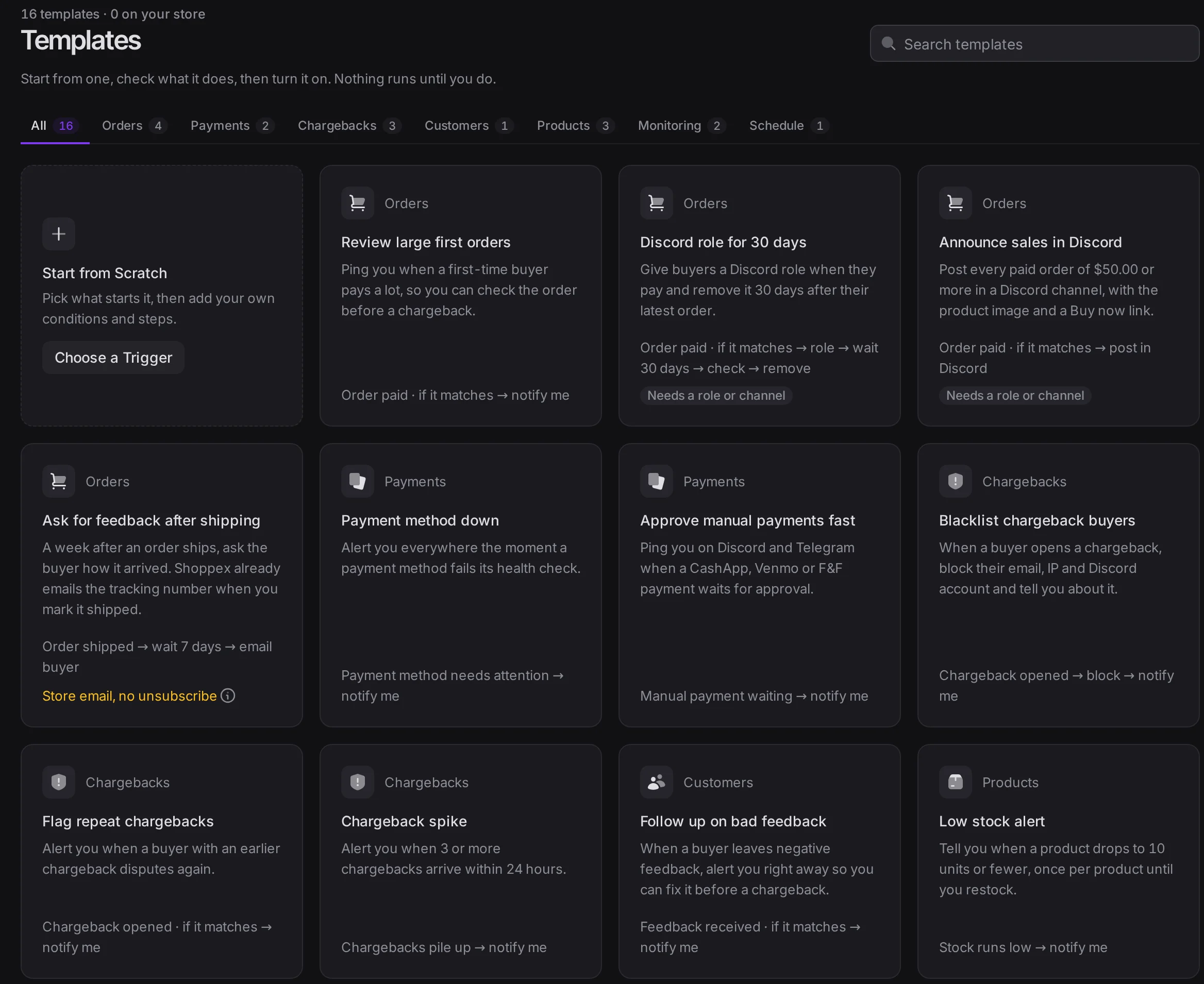
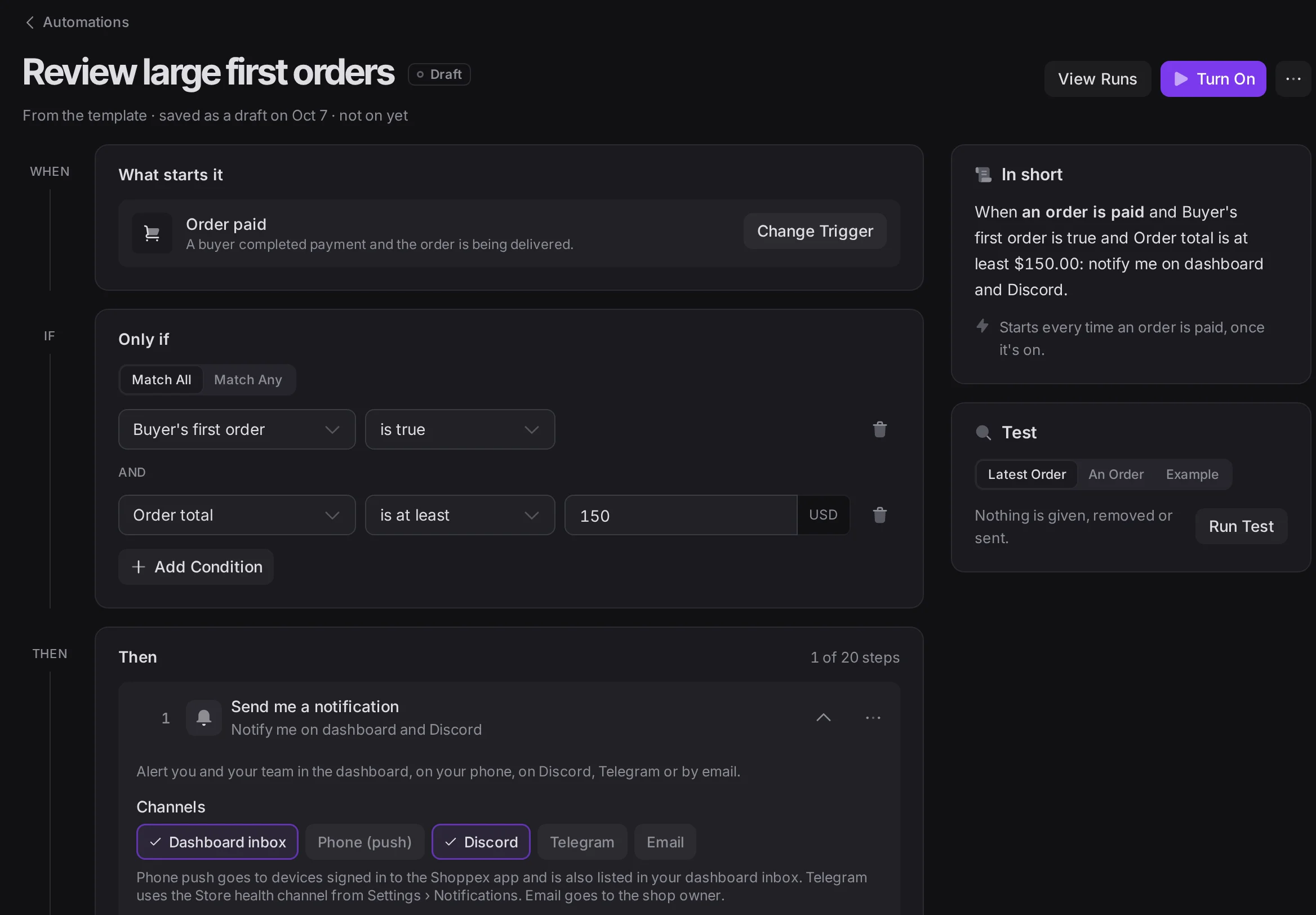
A chargeback comes in and you blacklist the buyer. Stock runs low and you hide the product. An order is paid and someone needs a Discord role. Automations do this for you: pick a trigger, add conditions, chain the actions.
Start from one of 16 templates and change what you need. Automations are on both plans. Switch them on and off from Discord with /automations, or let Claude manage them through the MCP server.
ForkMe, built to be forked
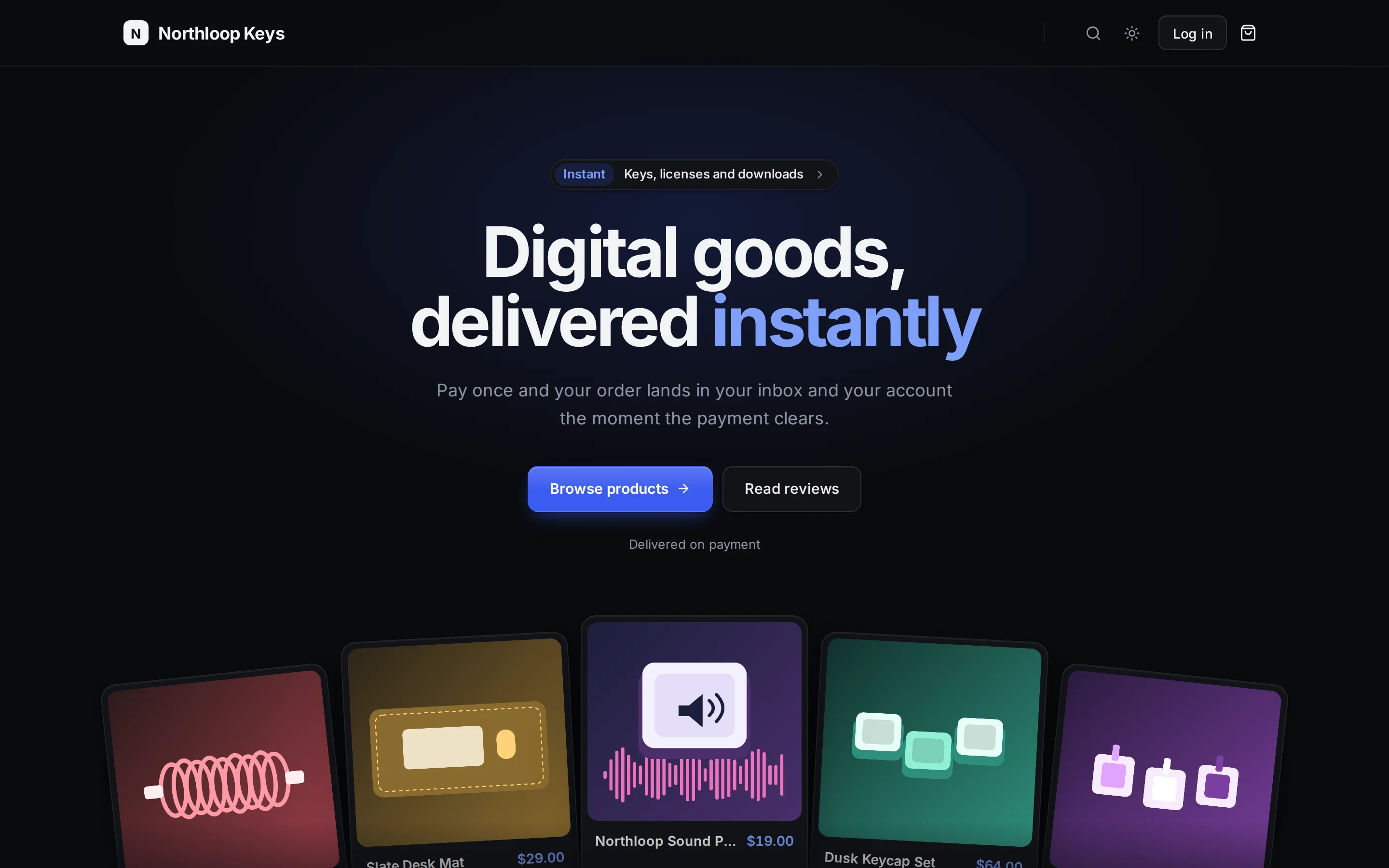
ForkMe is the plainest theme we ship, on purpose: a clean store with a hero, a shelf of your products, reviews and an FAQ. Its own README says it best: "Nothing in here is precious." ForkMe is a starting point, and it is built so an AI agent can turn it into something new fast.
Its whole look lives in one token file: the colours for light and dark, the fonts, the radius and the shadows. Every section of the home page is its own file. And it ships with AGENTS.md, a map for coding agents that lists every folder, what it holds and whether to touch it. Open the code in Claude Code, Cursor or Codex, describe the store you want, and the agent knows where each change goes: a new palette in one file, a new hero in another, a section gone by deleting one entry.
ForkMe comes twice, both free. The React template is for when you want to own the code: four hero layouts and four colour presets to start from, edited in the browser or on your machine and deployed with the Shoppex CLI. The builder theme has the same design, for when you would rather click than code.
Also new
- Notify me. In the builder themes, a sold-out product shows a Notify me button, and buyers get an email when you restock.
- Discord, checked. The Discord page shows who holds which role and checks that the bot can give every role you sell and post in every channel it needs.
- One brand for every email. Set your colour, button shape, fonts and footer once on the Email Brand page, with a live preview, and every buyer email uses them.
- Inbox. Saved replies, internal notes only your team sees, and an email to you when a buyer answers.
- Keys and licenses. Keys you paste in one go are saved as a batch you can undo. Every license key has an activity history, and you can generate one by hand.
- Renewals. Send a buyer a pay link for their subscription renewal. They get a "Your renewal is ready to pay" email.
- Shoppex in Claude. Add Shoppex as a custom connector in Claude with
https://api.shoppex.io/mcp(setup in the docs), approve it once, and ask about your store in plain words. Connected Apps in your dashboard cuts the access again.
For developers
The Developer API has 313 documented operations, and every write takes an idempotency key. 53 webhook events are signed with each webhook's own secret, and every delivery now has its own attempt log. An endpoint that has failed 20 deliveries over at least 24 hours is switched off, and you get an email. The MCP server gives Claude, Cursor and other AI clients 72 tools, automations included. On the developer page you can try to break all of it yourself.
Under the hood
We also rebuilt the foundation under the dashboard, the checkout and your storefront, so all three run more reliably.
Where to start
Open your dashboard. Home shows you the new layout right away. Then pick one thing to try: put up one physical product with one shipping zone and run a test order, turn on an automation from a template, or install ForkMe and hand the code to your agent.
Prices stay the same: Free at 2% per sale, Business at 0% for 99 EUR a month.
Questions, or did something break for you after the update? Ask us on Discord, we answer there.